How to Use the SDK
Adding the SDK
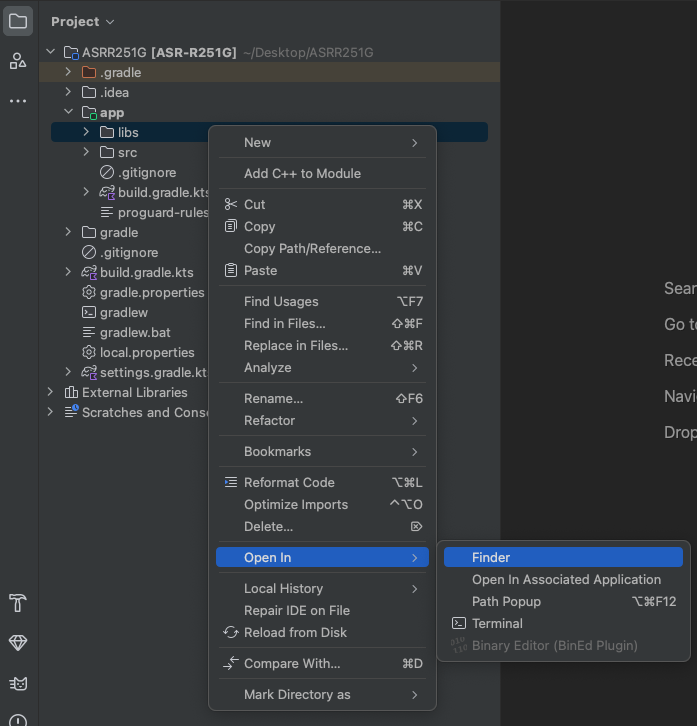
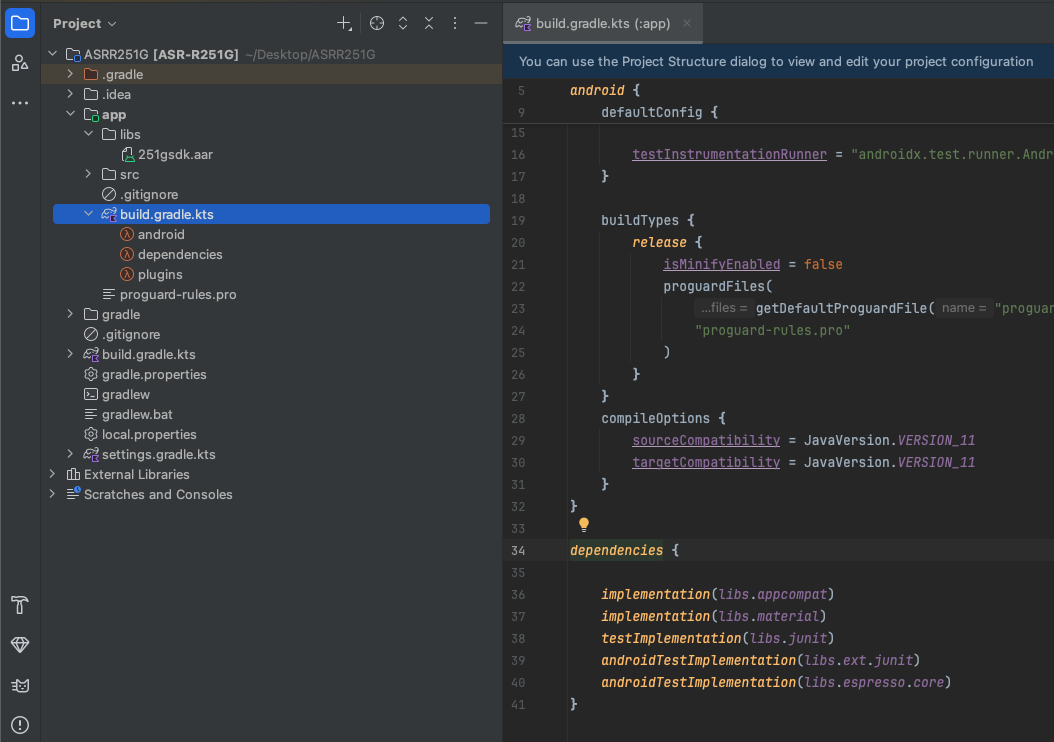
1. Select “app” -> “libs” -> Right-click -> “Open in Finder”
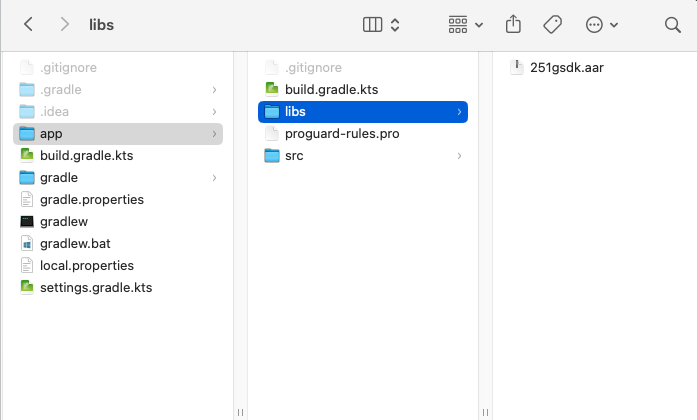
2. Select the downloaded “251gsdk.aar” file
The “251gsdk.aar” file will appear under the “libs” folder of the project.
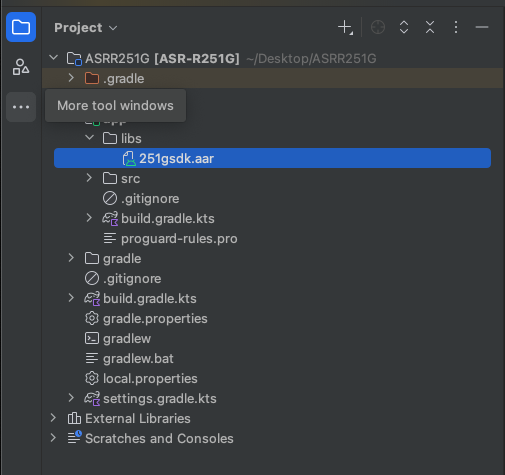
3. Double-click on “build.gradle”
Add the library to the dependencies.
Next, click “Sync Now” to synchronize.
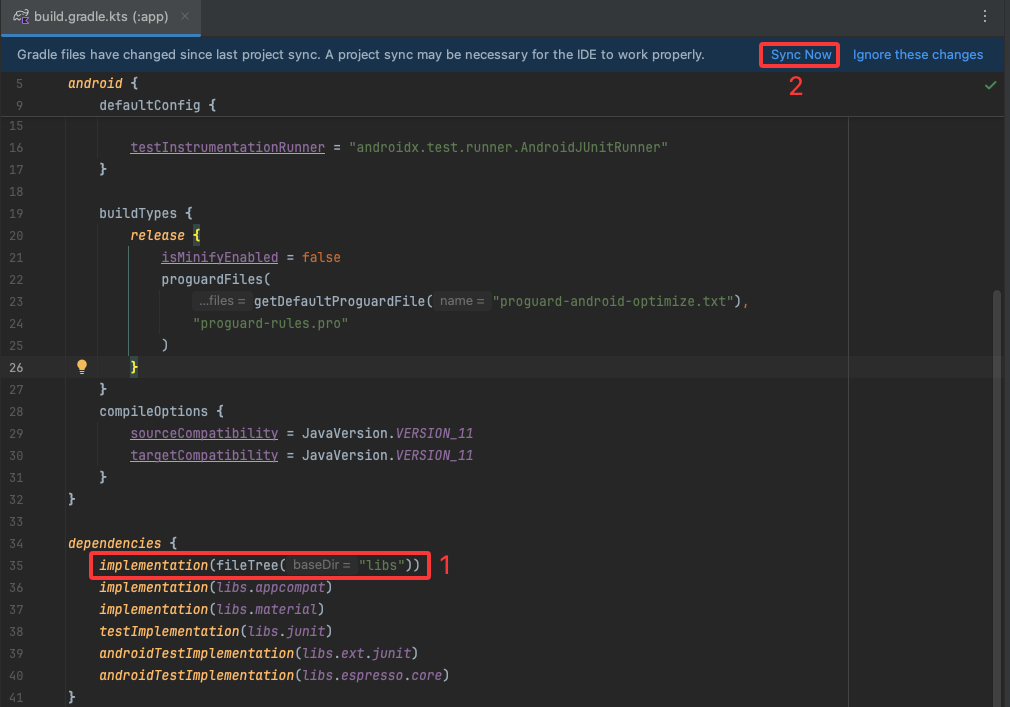
4. When synchronization is successful, the following screen will appear
This completes the SDK installation.

Using the SDK
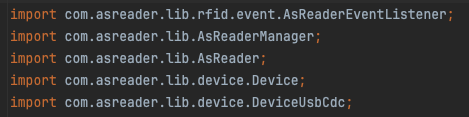
The project needs to import the header file into the class that uses the SDK
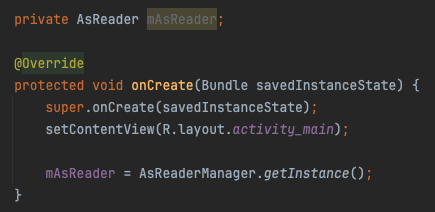
Create an initialization object
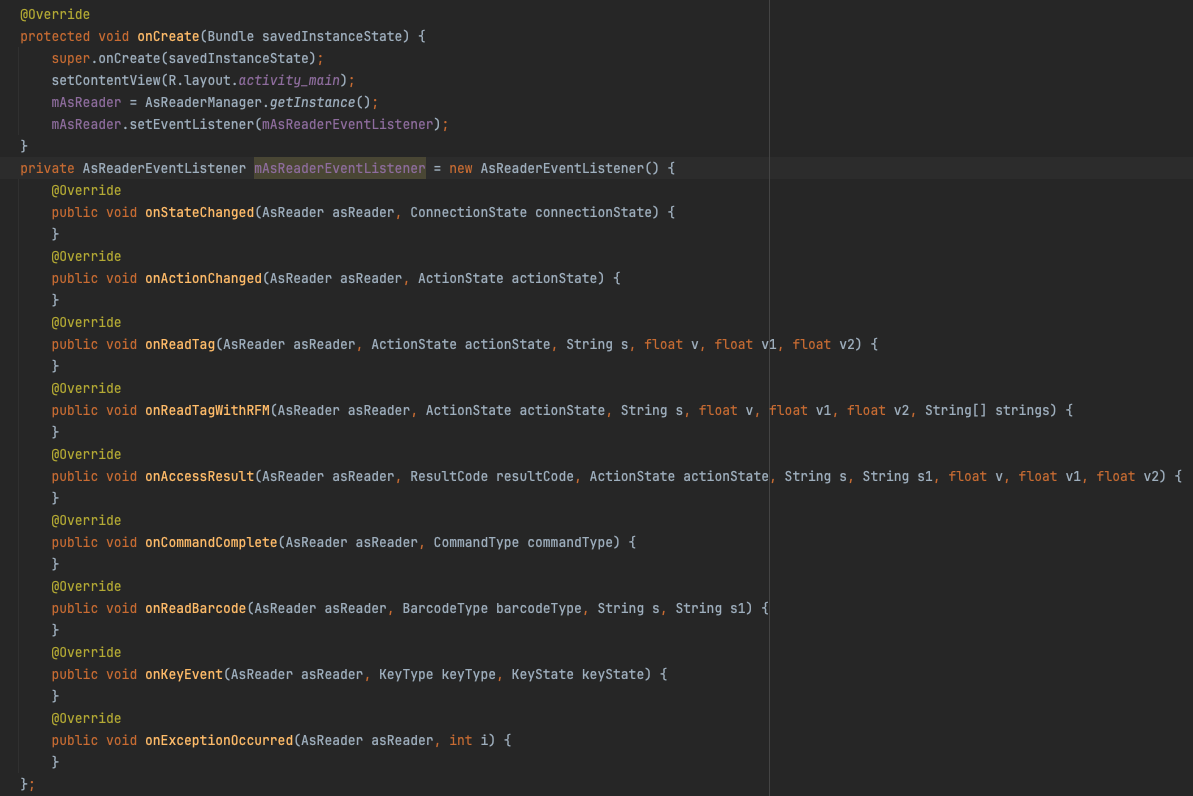
Create and initialize the AsReaderEventListener object
Override the methods in the AsReaderEventListener interface.
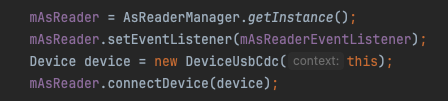
Connect to the ASR-L251G
Note: Before connecting to the ASR-L251G, you must call the method “setEventListener(AsReaderEventListener listener)”
to pass the AsReaderEventListener object. This is used to obtain the connection status, execution status listeners, and data returned from the ASR-L251G.
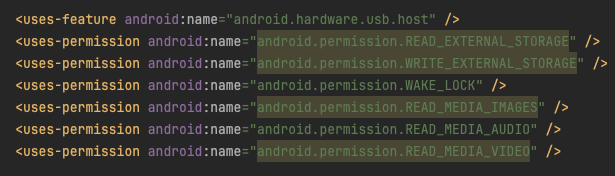
Adding Project Permissions
Before using the SDK, you must define project permissions in the AndroidManifest.xml file of the app.